AEG BO4SEM Instrukcja Użytkownika Strona 1
Przeglądaj online lub pobierz Instrukcja Użytkownika dla Nie AEG BO4SEM. Aeg BO4SEM User Manual [kk] [ru] [ua] Instrukcja obsługi
- Strona / 28
- Spis treści
- ROZWIĄZYWANIE PROBLEMÓW
- BOOKMARKI


- EN User Manual 1
- CONTENTS 2
- FOR PERFECT RESULTS 2
- CUSTOMER CARE AND SERVICE 2
- 1. SAFETY INFORMATION 3
- General Safety 3
- 2. SAFETY INSTRUCTIONS 4
- 2.4 Steam Cooking 6
- 2.5 Care and cleaning 6
- 2.6 Internal light 6
- 2.7 Disposal 6
- 2.8 Service 6
- 3. PRODUCT DESCRIPTION 7
- 4. CONTROL PANEL 8
- 5. BEFORE FIRST USE 9
- 6. DAILY USE 10
- 6.3 Heating Functions 11
- 6.4 Activating a heating 11
- 6.5 Steam cooking 11
- 7. CLOCK FUNCTIONS 12
- 8. AUTOMATIC PROGRAMMES 13
- 9. USING THE ACCESSORIES 13
- 10. ADDITIONAL FUNCTIONS 13
- Saving a programme 14
- Activating the programme 14
- 10.2 Function Lock 14
- 10.3 Set + Go 14
- 10.4 Automatic Switch-off 14
- 11. CARE AND CLEANING 15
- 11.4 Steam generation system 16
- 11.5 Removing and installing 16
- 12. TROUBLESHOOTING 17
- 13. INSTALLATION 18
- 13.2 Building in 19
- ENGLISH 21 21
- 14. ENERGY EFFICIENCY 22
- GUARANTEE 23
- 16. ENVIRONMENTAL CONCERNS 24
- ENGLISH 25 25
- ENGLISH 27 27
- 867336078-D-212017 28
Podsumowanie treści
USER MANUALEN User ManualSteamerBO4SEM
Refer to "Care andcleaning" chapter.Clean the appliance and the accessoriesbefore first use.Put the accessories and the removableshelf suppo
Sym-bolSubmenu DescriptionDisplay Contrast Adjusts the display contrast by degrees.Display Brightness Adjusts the display brightness by degrees.Set La
When the steam generator isempty, the signal sounds.The signal sounds at the end of thecooking time.7. Turn off the appliance. CAUTION!The appliance i
1. Set a heating function.2. Press again and again until thedisplay shows the necessary clockfunction and the related symbol.3. Press or to set
Saving a programme1. Activate the appliance.2. Set a heating function or anautomatic programme.3. Touch again and again until thedisplay shows: SAVE
10.5 Brightness of the displayThere are two modes of displaybrightness:• Night brightness - when the applianceis deactivated, the brightness of thedis
the function: True Fan Cooking attemperature 150°C for approximately 15minutes.11.4 Steam generation systemCAUTION!Dry the steam generatorafter each u
WARNING!Make sure that the glassesare inserted in the correctposition otherwise thesurface of the door mayoverheat.11.6 Replacing the lampPut a cloth
Problem Possible cause RemedyThe appliance does not heatup.The fuse is blown. Make sure that the fuse isthe cause of the malfunction.If the fuse is bl
min. 3 mm 13.2 Building inDuring installation incombustible matter, NINSEV 1000 and fire protectionguidelines and regulationsof the Association ofCant
CONTENTS1. SAFETY INFORMATION...32. SAFETY INSTRUCTIONS...
440mm548mm546mm594mm455mm21mm450mmmin.550mm min.20mm min.560mm15mm114 mm450mm440mm546mm594mm455mm450mm455mm450mm450mm548mmmin. 550mm450mmmin.560mm 21m
440mm450mm450mm450mm455mm450mm450mm450mm455mm455mm546mm594mm548mm21mm min.550mmmin.560mmmin. 20mm 114 mm15mm440 mm440mmalternativH05VV-FH05RR-Fmin.1,6
13mm20mm2x3,5x2513.3 Electrical connectionWARNING!If service is required alwaysdisconnect the appliancefrom the power supply.Use a power cable of H05V
Mass 31.0 kgEN 60350-1 - Household electric cookingappliances - Part 1: Ranges, ovens, steamovens and grills - Methods for measuringperformance.14.2 E
Warranty For each product we provide atwo-year guarantee from the date ofpurchase or delivery to the consumer(with a guarantee certificate, invoice or
ENGLISH 25
www.aeg.com26
ENGLISH 27
www.aeg.com/shop867336078-D-212017
1. SAFETY INFORMATIONBefore the installation and use of the appliance,carefully read the supplied instructions. Themanufacturer is not responsible f
• Always use oven gloves to remove or put inaccessories or ovenware.• Before carrying out any maintenance, disconnect theappliance from the power supp
to be replaced, this must be carriedout by our Authorised Service Centre.• Do not let mains cables touch orcome near the appliance door,especially whe
2.4 Steam CookingWARNING!Risk of burns and damage tothe appliance.• Released Steam can cause burns:– Do not open the appliance doorduring the steam co
3. PRODUCT DESCRIPTION3.1 General overview4231172 34561Control panel2Electronic programmer3Water drawer4Lamp5Steam generator with cover6Shelf support,
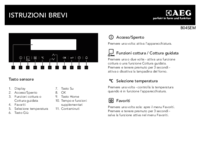
4. CONTROL PANEL4.1 Electronic programmer21 3 4 5 76 8 9 10 11Use the sensor fields to operate the appliance.SensorfieldFunction Comment1- Display Sho
SensorfieldFunction Comment10Time and addi-tional functionsTo set different functions. When a heating func-tion operates, press the sensor field to se
Więcej dokumentów dla Nie AEG BO4SEM




Powiązane produkty i podręczniki dla Nie AEG BO4SEM
 (12 strony)
 (40 strony)
 (24 strony)
 (32 strony)
(52 strony)
(32 strony)
(52 strony)
 (48 strony)
 (32 strony)
 (44 strony)
 (40 strony)
(32 strony)
(40 strony)
(32 strony)
 (28 strony)
 (20 strony)
(48 strony)
(20 strony)
(48 strony)
 (72 strony)
(56 strony)
(20 strony)
(72 strony)
(56 strony)
(20 strony)


 (48 strony)
 (36 strony)
© 2020, manymanuals.pl. Wszelkie prawa zastrzeżone. | 0.173 s |
 Manymanuals.com
 Manymanuals.de
 Manymanuals.fr
 Manymanuals.it
 Manymanuals.pl
 Manymanuals.cz
 Manymanuals.es
 Manymanuals-pt.com
Komentarze do niniejszej Instrukcji